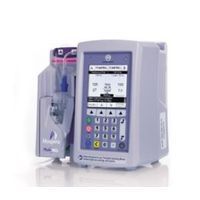
Hospira - Plum 360
by Hospira

Hospira Plum 360 Forums

Updated  Jun 26 2026
3 Replies

is there a fix for this alarm message  on a plum 360....Power Off then On. Replace pump if alarm continues.

RE: Hospira - Plum 360
Updated  Jun 22 2026
1 Reply

Hello- Is there an available Technical Service Manual for the Plum 360 of which can be referenced? Respectfully.

Equipment: Plum 360

RE: Hospira - Plum 360
1 Reply

Intermittent proximal/distal occlusion alarms on Plum 360 IV pump despite line verification, back-priming, sensor cleaning, and testing with multiple cassettes. Looking for troubleshooting advice before replacing the pumping mechanism/module.

Possible cassette compatibility, sensor calibration, or pressure sensing issues?

Equipment: Plum 360 IV Pump

RE: Hospira - Plum 360
Updated  Jun 16 2026
1 Reply

When servicing a plum 360 IV pump and it throws either a distal or a proximal error, is there anything that can be done other than replacing the mechanism/module? I have verified there is no air in the line, I have back primed the device/line, and it will even work with some test cassettes but not all of them. I have tried cleaning off the pins and the sensors but it will still intermittently throw a distal/proximal error. Any advice would be greatly appreciated.

Equipment: Plum 360

RE: Hospira - Plum 360
0 Replies

We are in the process of updating MANY of these 360 pumps across my hospital network. It seems 1 in 6 to 1 in 4 seem to freeze up on file 5 of 5 while running this update resulting in a "software error" message on the display at start-up. Sometimes the download can be requested again and complete successfully. Sometimes a network certificate password reset can correct this concern. Sometimes a drug library re-install followed by continuing update can correct this concern. A "shotgun" solution seems to be to reset the device to defaults, re-configure the network, finish the download, then re-install drug library (this may have to be performed multiple times but always results in a correction). My 3 questions are:

1) Does anyone know WHY this is occuring?

2) Does anyone know HOW TO PREVENT this from occuring?

and

3) Is their a consistently effective and faster way to correct this issue when it does occur?

Thank you, Friends!


ADDITIONAL NOTES: 

Resetting the network certificate password first does not affect the failure rate.

Network connection is always verified prior to beginning software update.

Almost all updates have been performed over wifi. To test a possible weak link I updated one batch of 16 pumps half on wired connection and half on wifi and the 2 that failed in this batch were on the wired network and none of the wifi ones failed. The next batch of all wifi connected pumps had 4 fail.

RE: Hospira - Plum 360
Updated  Sep 17 2020
6 Replies

Looking for the service manual for the Plum 360. Any help would be appreciated.

RE: Hospira - Plum 360
Updated  Aug 14 2020
3 Replies

Hi, Does anyone know how to reset the Biomed code to default? .963 is not working Kind regards, JK

RE: Hospira - Plum 360
Updated  Oct 18 2017
2 Replies

We are experiencing an issue (maybe 5-10 devices per week) where the pump gives a message to Power off then on. Replace pump if alarm continues. However, we are unable to turn the device off. We have to remove the battery to reset. Of course Hospira says that we are the only ones experiencing this issue.

RE: Hospira - Plum 360

Start a Thread

Equipment Name: Hospira - Plum 360
SIGN IN FIRST
This site uses cookies. By continuing to browse the site you are agreeing to our use of cookies. Please review our Privacy Policy for more details.
I Agree